
Turn useful Reels into knowledge.
Share an Instagram Reel or YouTube Short to ReelNotes. It fetches the available captions and builds a grounded, searchable note — or tells you honestly when the text needed isn't there.
- Android 8.0+
- Text-only processing
- Render + Groq
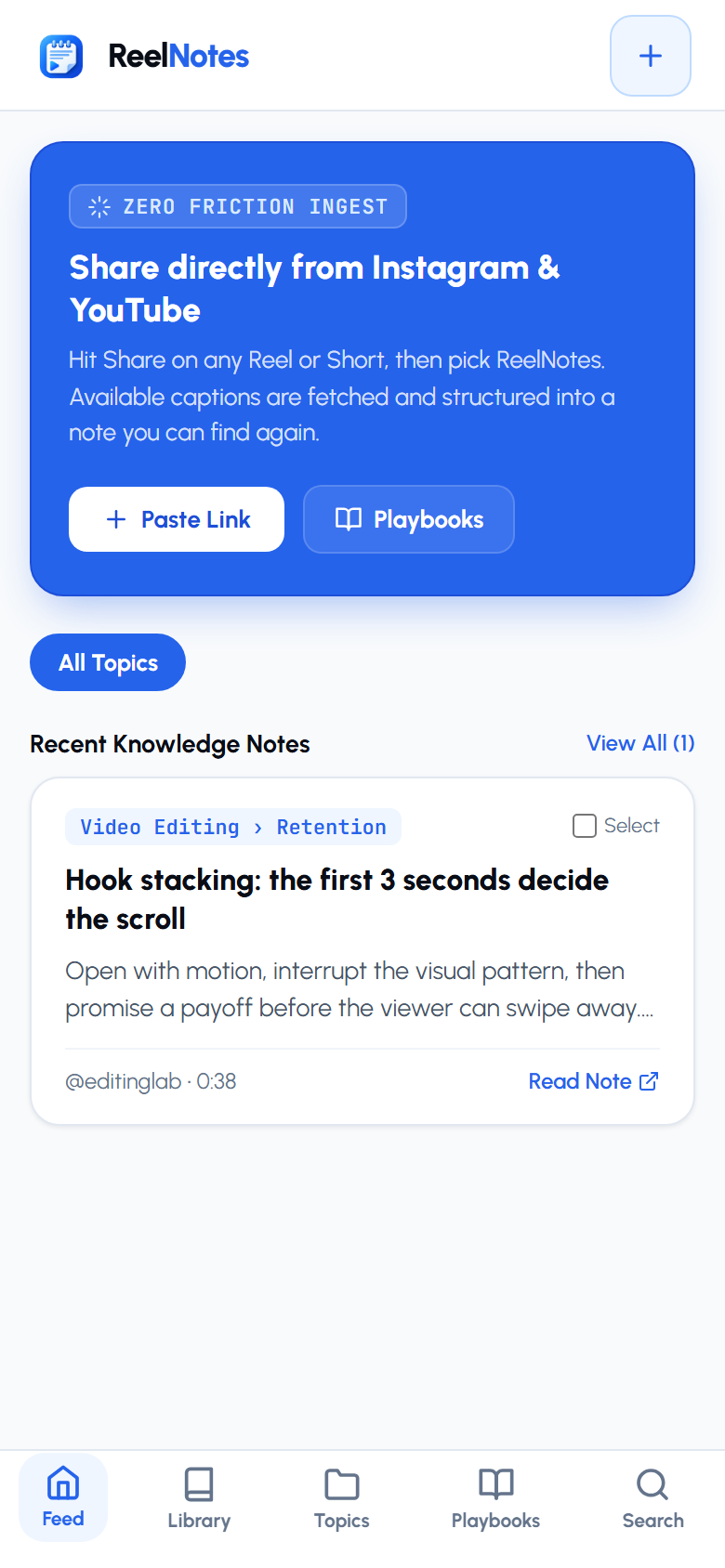
What ReelNotes does
Three things, done honestly.
Grounded notes
Every note is built from the video's available captions or the creator's own description — never invented from nothing.
Honest errors
No captions and too little description? ReelNotes says so and offers a retry — it never saves a fake note.
Findable again
Notes are organized by topic and searchable in seconds — so the good idea you watched last week is not lost forever.
How it works
Share → Extract → Note. Three taps from your feed.
-
1
Share the video
Watching an informational Reel or Short? Tap your phone's Share button and pick ReelNotes. Only the link is sent — never the video.
-
2
Captions are extracted
The ReelNotes service fetches the available captions or creator description for that link and passes the text along.
-
3
A structured note is saved
Groq turns the text into a summary, key points and action drills — grounded strictly in what the source actually said.
Real app screens
Captured directly from the live app — not mockups.
Screens show sample library content captured from the app's real interface.
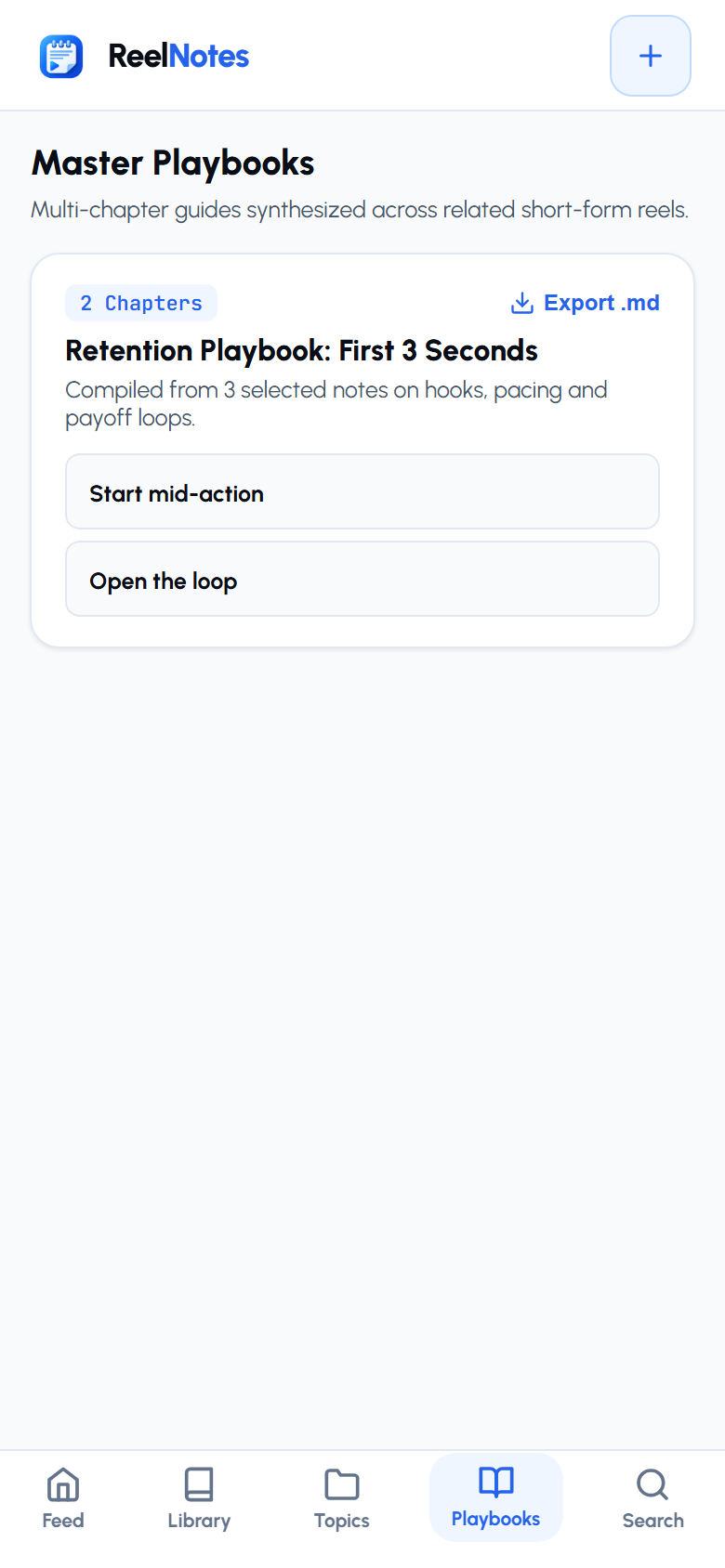
One reel is a tip. A playbook is an edge.
Select related notes in your library and let ReelNotes compile them into a multi-chapter playbook — one chapter per source note, exportable as Markdown.
- Every chapter stays linked to its original source video
- One-tap export to Markdown for your own docs
- Topics are auto-assigned as notes arrive
Why ReelNotes
What it does — and what it deliberately doesn't.
Grounded in the source
Notes only use available captions or the creator's description. If that text is missing, you get an honest error instead of a plausible-sounding invention.
No video downloads
ReelNotes never downloads or stores video or audio. Only the shared link and its text are processed.
Honest about limits
Short-form first: Reels and Shorts. Long videos and posts without usable text are rejected clearly, not guessed at.
Updates in one tap
New releases arrive as an in-app banner straight from Cloudflare R2 — no re-install, no store, no waiting.
Install ReelNotes on Android
Direct APK download from Cloudflare R2. Free, v1.3.2, Android 8.0+.
Download ReelNotes APK- Download. Android may warn about APK files — tap Download anyway.
- Allow. Open the file and enable Allow from this source for your browser.
- Install. Tap Install, then Open.
- Share. From Instagram or YouTube, tap Share and choose ReelNotes.
Frequently asked questions
No. Only the shared link is sent to the ReelNotes service, which fetches available captions or the creator's description. Video and audio files are never downloaded. The extracted text is then passed to Groq to build the note.
If captions are unavailable, ReelNotes falls back to the creator's own description. If that's too short to build a grounded note, you get an honest error with a Retry button — never an invented summary.
Yes. Both Instagram Reels and YouTube Shorts use the same Share Sheet flow.
ReelNotes is built for informational content. If the extracted text doesn't contain anything usable, the request is rejected instead of saved as an empty note.
The app checks Cloudflare R2 on startup. When a newer version exists, an in-app banner appears with a one-tap download — no store, no re-install dance.
Feedback or feature ideas?
ReelNotes is built and iterated by Mobpie (Ujjwal Mishra). Hit a bug or want a platform integration? Write directly.